
For oncology and haematology pharmacists
Review SACT prescriptions and manage supply in one connected workflow
Oncology and haematology pharmacy teams assess more than the prescription itself. Clinical screening may require the treatment regimen, dose calculations, pathology results, allergies, previous cycles and the reasons for any changes to be considered together.
iQemo connects the prescribed treatment with the patient record and the pharmacy workflow. It supports clinical screening, electronic confirmation, dispensing and release, while keeping a record of the actions taken as treatment progresses.
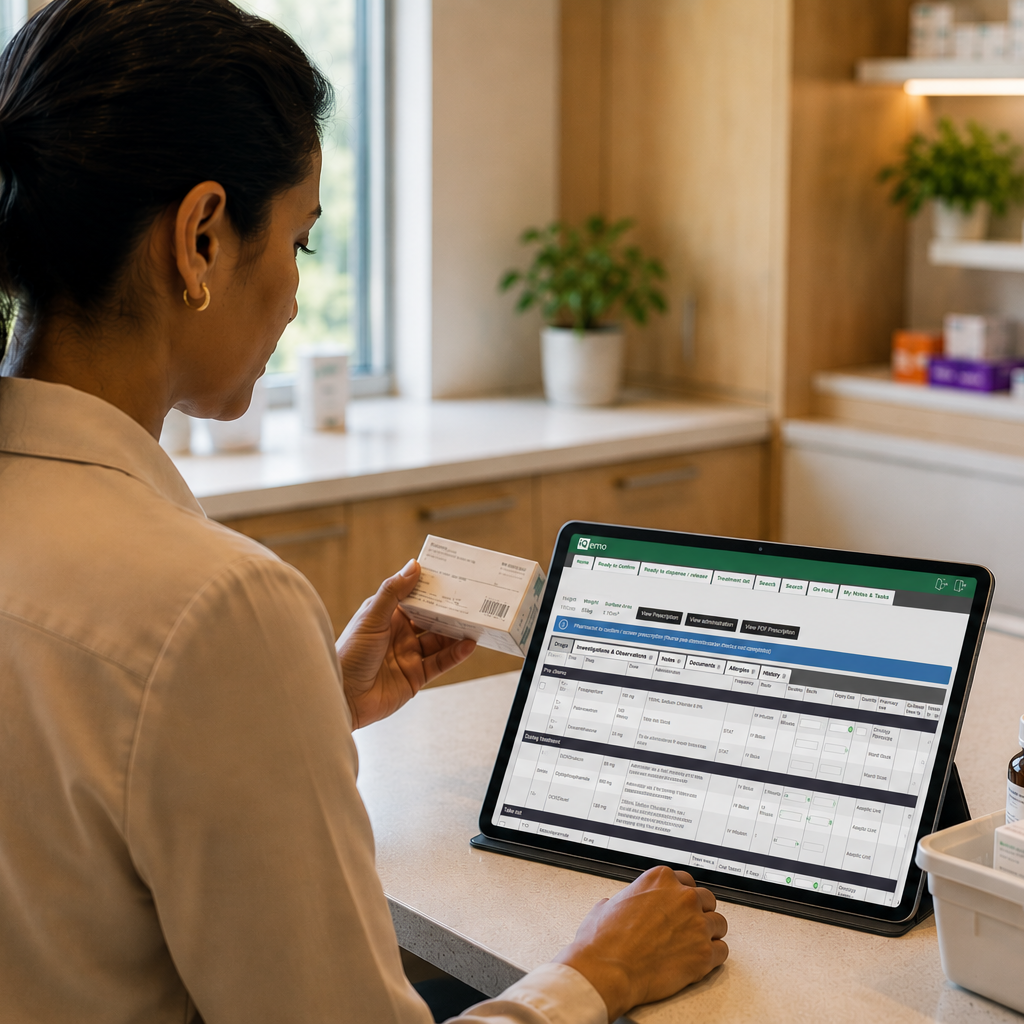
What iQemo helps your pharmacy team do
Review prescribed treatment with relevant patient and treatment information close at hand
Work from structured lists for prescriptions awaiting confirmation and dispensing or release
Confirm pharmacy screening electronically, with the user and time recorded
See dose-change history, allergy information and available pathology results
Capture batch numbers and expiry dates during dispensing or release
Apply configurable pre-release and independent second-check workflows
Clinical screening needs the treatment context, not just the prescription
Reviewing a systemic anti-cancer therapy (SACT) prescription depends on the clinical and treatment information around it. The pharmacist may need to understand how the dose was calculated, whether it has changed, which results informed the decision and whether any warnings or restrictions require attention.
Once a treatment cycle has been prescribed in iQemo, it can enter the Ready to Confirm worklist. The list gives pharmacy teams visibility of information including the patient, regimen, diagnosis, cycle, treatment date, prescriber, location and prescription status. The prescription remains connected to the wider patient and treatment record.
What this can mean in pharmacy practice
01
Start with an organisation-maintained treatment regimen
Prescriptions are created from a regimen library maintained by the organisation. Regimens can be verified by qualified users and automatically returned for re-verification when clinical changes are made. Dose calculations use the methods and rules configured for the regimen and drug, giving pharmacy a consistent basis for clinical review.
02
Manage screening through the Ready to Confirm worklist
The Ready to Confirm list brings together prescribed cycles awaiting pharmacy review. It can be filtered by factors such as diagnosis, treatment date and location, helping pharmacists identify and organise the prescriptions that require attention.
03
Confirm screening with a clear electronic record
A pharmacist with the relevant permission confirms screening electronically using password verification. iQemo records the user, date, time and prescription details in the audit trail. The same user cannot both prescribe and confirm the treatment cycle.
04
Review changes, warnings and clinical decision support
Pharmacists can review allergy information, dose-change history and available pathology results within the treatment record. Where the optional First Data Bank service is in place, automated drug-to-drug interaction checking is available during regimen building and prescribing. Recorded overrides and dose modifications retain their associated rationale and history.
05
Progress prescriptions from confirmation to supply
After screening, the Ready to Dispense or Release list supports the next stage of the pharmacy workflow. Views can be filtered by pharmacy unit, treatment location, date and status. Pre-release checks can be enabled for individual pharmacy units and require confirmation by an appropriately authorised user.
06
Record dispensing, traceability information and second checks
At dispensing or release, iQemo can require batch numbers and expiry dates for defined regimen drugs, including more than one batch or expiry date where needed. The user and timestamp are recorded for each released drug line. An independent second check can be made mandatory through local configuration and must be completed by a different pharmacy user.
07
Manage exceptions without losing the record
Authorised pharmacy users can cancel screening when a prescription needs to return to the prescriber, place treatment on hold and recall released drugs where the workflow allows it. These actions and their reasons remain part of the treatment history, helping the wider team understand the current status.
08
Connect optional pharmacy and medicines workflows
Optional modules can extend the pharmacy workflow. Pharmacy ordering integration can send orders to a third-party manufacturing or compounding provider at screening and track order status against the drug line. Optional barcode scanning supports drug-label checks during dispensing, while pathology integration can bring laboratory results into the record where configured.
See how iQemo supports the wider SACT team
Explore how iQemo could support your pharmacy workflow
If you are reviewing regimen governance, prescription screening or the dispensing and release workflow, we can show you how iQemo supports pharmacy and connects medicines management with prescribing and treatment administration.